
Free meeting minutes template (Word): meeting details, agenda, one block per agenda item (discussion summary, decision, action items), an action-item table, next meeting and approval with signatures. Every field to fill in is a [placeholder] in square brackets.
Download the template (Word, .docx)3 pages, US Letter with margins that also print on A4. Opens in Word and in other editors that read .docx files. No sign-up.
Short answer: good minutes record decisions and actions, not conversation. For each agenda item, write a short neutral summary, the decision in one sentence, and every action with an owner and a due date. Write them up soon after the meeting, have the chair check them, circulate them, and get them approved at the next meeting.
What are meeting minutes?
Minutes are the agreed record of a meeting. They tell someone who was not in the room what the group decided, what is still open, and who is responsible for the next steps.
Above all, minutes are not a transcript. The official site of Robert's Rules of Order, the parliamentary manual many US associations and boards follow, puts it bluntly: "Minutes are a record of what was done at a meeting, not a record of what was said." Rutgers University's guide to taking minutes says the same in plainer terms: record the main points; there is no need to record verbatim what was said.
Minutes vs notes vs transcript
| Meeting notes | Meeting minutes | Transcript | |
|---|---|---|---|
| Purpose | Personal or team memory aid | Agreed record of decisions and actions | Word-for-word record of what was said |
| Format | Free form, bullet points | Fixed structure that follows the agenda | Turns of speech, often with timestamps |
| Approved? | No | Yes, usually by the chair or the group | No |
| Length | Short | Usually one to three pages | Very long |
| Best for | Informal check-ins | Decisions that people must act on | Source material for writing the minutes |
Formal vs informal minutes
- Formal minutes (boards, committees, associations, charities, public bodies) follow the organization's rules. They record attendance, quorum, motions, the exact wording of resolutions and votes. Robert's Rules considers it improper to summarize the discussion at all. The UK Charity Commission's guidance on charities and meetings (CC48), on the other hand, asks charities to include a summary of discussions of agenda items and the reasons for their decisions. If your organization has bylaws, a constitution or a governing document, it wins.
- Informal minutes (project meetings, team meetings, client calls) are lighter: a short summary per topic, the decisions and an action list. The action list is usually the part people actually read.
Board meetings sit at the formal end, with extra points such as conflicts of interest and resolutions worded exactly as voted; we cover them in our guide to board meeting minutes.
What to include in meeting minutes
Public guidance converges on the same core elements. Rutgers University Human Resources lists twelve items, from the name of the group to the recording secretary's signature, and the Charity Commission's CC48 lists similar ones for charity meetings. A complete set of minutes contains:
- Meeting details: name of the organization or group, type and title of the meeting, date, start time, location or video link.
- People: chair, minute-taker, attendees, excused members (UK: apologies, people who said in advance they could not come), absent members, guests or observers.
- Approval of the previous minutes: approved as circulated, approved with corrections, or postponed.
- One section per agenda item, in agenda order: a brief summary of the main points, the decision, and any action assigned.
- Formal elements, if any: motions, the exact wording of resolutions, votes, declared conflicts of interest.
- Action items: what, who, by when. Rutgers asks for "the person's name, the responsibility accepted, and when the assignment is to be completed".
- Close: the time the meeting ended and the date, time and place of the next meeting.
- Approval: the date the minutes were approved and, for formal meetings, the signatures.
What to leave out: side conversations, jokes, personal opinions of the minute-taker and judgmental adjectives ("a heated debate"). Rutgers' guide specifically warns minute-takers to avoid defamatory remarks.
Free meeting minutes template for Word
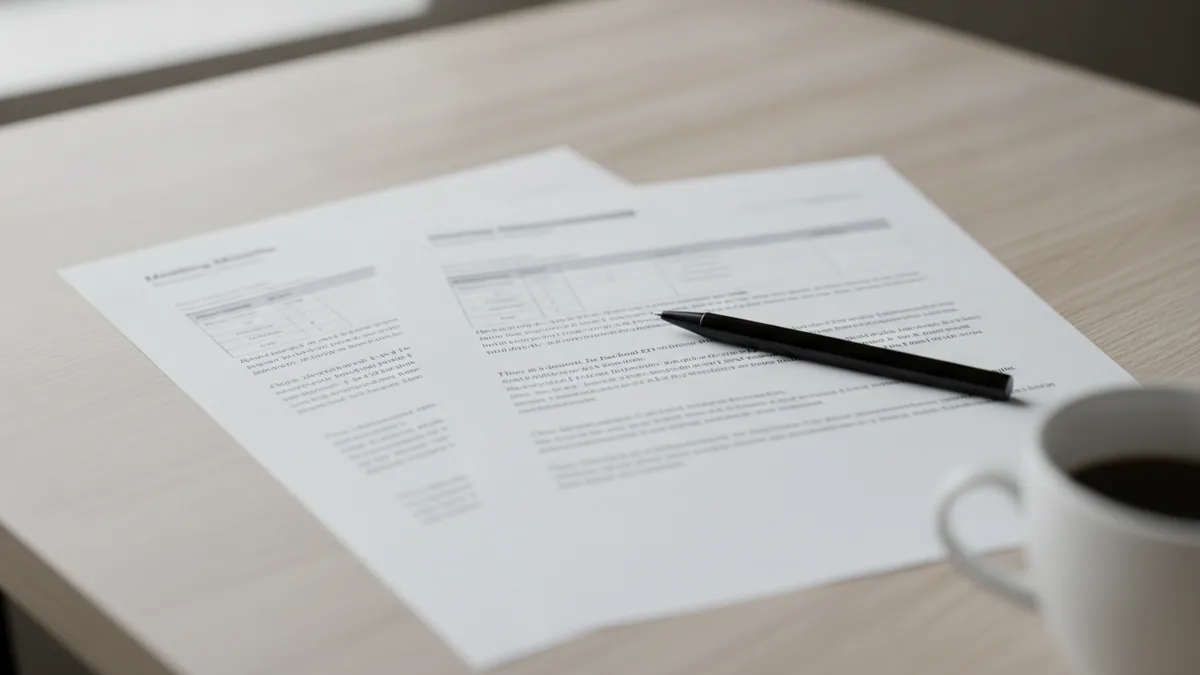
Our template turns this checklist into a ready-to-fill .docx file, built with real Word heading styles so the navigation pane shows every section. It contains:
- Meeting details table: organization, meeting title, date, time, location or online, chair, minute-taker, attendees, excused (UK: apologies), absent, guests, quorum, and a line to state whether the meeting was recorded with everyone's consent
- Agenda with five items, starting with approval of the previous minutes and review of open actions, ending with other business
- One block per agenda item with three rows: discussion summary, decision, action items
- Action-item table with the columns No., Action, Owner, Due date and Status (the header row repeats if the table runs onto a new page)
- Next meeting and approval: closing time, circulation date, approval date, and signature boxes for the chair and the minute-taker
For an informal meeting, delete the quorum row and the signature table. For a formal one, add the exact wording of any motion in the decision row.
Download the meeting minutes template (.docx)
How to write meeting minutes in 7 steps
Good minutes are prepared before the meeting and finished soon after it.
Prepare the template from the agenda
Before the meeting, copy the agenda items into the template, fill in the meeting details and the list of expected attendees, and reread the previous minutes and open actions.
Record attendance at the start
Note who is present, who is excused (UK: sent apologies), who is absent and any guests, plus the start time. For a formal meeting, record whether a quorum was present.
Note outcomes, not conversation
For each agenda item, jot down the key points and options discussed in a few words, then concentrate on the outcome. Ask yourself four questions: was there a decision, was there an action, who agreed to take it, and by when?
Capture every action with an owner and a due date
Write each action as a verb plus a result ("Send the revised budget to the board"), with one named owner and a date. "The team will look into it" is not an action.
Confirm decisions before moving on
If a decision or an action is unclear, ask the chair to restate it before the next item, and read back all decisions and actions at the end.
Write up the minutes soon after the meeting
Turn your notes into full sentences while you still remember the context: past tense, neutral tone, one short paragraph per item, the decision in one sentence. Check names, figures and dates against the agenda papers or the recording.
Have the chair review, then circulate and file
Send the draft to the chair for a check, then to all attendees and anyone who needs to act on it, marked as a draft if it still needs formal approval. Put the open actions on the next agenda.
Writing style tips: use the past tense and the third person ("The team agreed to..."). Attribute statements to roles or names only when it matters, for example when someone asks for their objection to be recorded; the University of Manchester's committee guidance goes further and asks minute-takers not to identify individuals by name, although office holders can be referred to.
Meeting minutes example (fictional)
Here is the template filled in for an informal project meeting. The organization, people and figures are invented for illustration.
Brightwater Studio: Website relaunch, weekly project meeting
Date: Tuesday, March 10, 2026, 9:30 to 10:15 a.m. | Location: Meeting room 2 and video call
Chair: Dana Price (project lead) | Minute-taker: Sam Ortiz (project coordinator)
Attendees: Dana Price, Sam Ortiz, Lee Chen (developer), Priya Shah (designer) | Excused: Tom Baker (marketing) | Guests: none
Recording: not recorded
1. Approval of the minutes of March 3
Decision: The minutes of March 3 were approved as circulated.
2. Review of open action items
Discussion: Lee confirmed the staging site is live. The image licensing check (action 4 from March 3) is not finished.
Decision: Action 4 carried forward to March 17.
3. Launch date
Discussion: The team reviewed the remaining work. Lee reported that the contact form still fails on mobile; Priya noted that two page designs are waiting for client feedback. Launching on March 24 or March 31 was considered.
Decision: Launch moved from March 24 to March 31 to allow time for testing.
Actions: Lee to fix the mobile contact form by March 13. Dana to inform the client of the new date by March 11.
4. Homepage hero copy
Discussion: Priya presented two versions. The team preferred version B but wants marketing's input.
Decision: No decision; deferred to March 17 pending Tom's review.
Action: Sam to send both versions to Tom by March 11.
5. Other business
None.
| No. | Action | Owner | Due date | Status |
|---|---|---|---|---|
| 1 | Fix the mobile contact form | Lee Chen | Mar 13 | Open |
| 2 | Inform the client of the March 31 launch date | Dana Price | Mar 11 | Open |
| 3 | Send both hero copy versions to marketing | Sam Ortiz | Mar 11 | Open |
| 4 | Finish the image licensing check (carried forward) | Priya Shah | Mar 17 | In progress |
Meeting closed at 10:15 a.m. Next meeting: Tuesday, March 17, 2026, 9:30 a.m., Meeting room 2 and video call.
Draft circulated on March 10 to all attendees and Tom Baker. Minutes approved on: [to be approved on March 17].
Nobody's exact words, no opinions, yet anyone who missed the meeting knows the launch moved, why, and who does what before next Tuesday.
Who takes the minutes, and when to send them
Who takes minutes?
In committees, associations and charities, it is traditionally the secretary. The Charity Commission notes that the secretary is usually responsible for organizing the meeting and taking minutes, but that someone else, such as a trustee or an employee, can do it. In companies, it is often a coordinator or a rotating team member. Ideally, the minute-taker is not also the chair, and may interrupt to ask for a decision to be clarified.
When should minutes be sent?
There is no universal deadline, unless your bylaws or internal rules set one. The University of Manchester's guidance says minutes should be drafted as soon as possible after the meeting, and Rutgers says notes should be typed up soon after the meeting and approved for accuracy before distribution. In practice, aim to send the draft within a day or two, while the meeting is fresh and before the first actions fall due.
Approval of minutes
Minutes become the official record once approved:
- Formal meetings: the draft is circulated, then approved as the first business item of the next meeting. CC48 says minutes should be approved at the beginning of the next meeting, after which the chair should sign them and store them safely. Under Robert's Rules, if corrections are made at that point, they go into the text of the minutes being approved, and the new minutes simply state that the previous minutes were approved "as corrected".
- Informal meetings: the chair checks the draft, then it goes out with a short deadline for corrections ("Please send any corrections by Friday"). Silence counts as approval if your team agrees on that rule.
Keep approved minutes as long as your rules or the law require (the Charity Commission's CC48, for example, says charitable companies must keep trustee-meeting minutes for at least 10 years, and that trusts, unincorporated associations and CIOs should keep them for at least 6 years). If you recorded the meeting only to write the minutes, delete the recording once they are approved.
Common mistakes in meeting minutes
- Writing a transcript. Long accounts of who said what bury the decisions. Summarize, then state the outcome.
- Vague decisions. "We will revisit this" is not a decision. Write what was decided, or that the item was deferred and to when.
- Actions without an owner or a date. An action owned by "the team" is owned by nobody.
- Editorializing. "John reluctantly agreed" or "a long and tense discussion" are opinions. Minutes stay neutral.
- Sending them too late. Minutes that arrive the day before the next meeting have already failed at their main job.
- Not tracking actions from one meeting to the next. Make "review of open action items" a standing agenda item, as in the template.
From recording to minutes: AI first draft, human review
Taking notes while following a discussion is hard, especially when you also take part. Many minute-takers now record the meeting, transcribe it, and write the minutes from the transcript. Three rules apply.
- Get consent first. Tell participants at the start that you are recording, why, and when the recording will be deleted, and record only if everyone agrees. Recording laws vary by country and state, so check the rules that apply to you.
- Use AI for the first draft only. A transcript and an automatic summary give you the material. They do not know which remarks were off the record or which decision was provisional.
- A human reviews and owns the minutes. The minute-taker checks names, figures and decisions against the audio and writes the final text; the chair approves it as usual.
Where AudiosTranscribe fits: upload the recording of your meeting, or record it on your PC with the Windows desktop app (Windows only, no bot joins the call). The audio is transcribed after the meeting, not live. Voices are separated automatically and you put a name on each speaker in one click, so you can check who committed to what. You also get an AI summary (basic on the free plan); on paid plans it pulls out the decisions and action items, ready to copy into the template above. Meeting notes are generated from a fixed list of predefined formats, so use the Word template on this page when you need your own layout. The service is hosted in Europe, GDPR-compliant, and the audio is deleted after processing. The free plan includes 120 minutes per month; Word and PDF exports come with the paid plans.
For platform-specific steps, see our guides to transcribing a Microsoft Teams meeting and transcribing a Zoom meeting. For a short audio file, you can also try our free tool to convert audio to text.
Sources
- Robert's Rules of Order (official site), Frequently Asked Questions, questions 15 and 16 on minutes, citing RONR (12th ed.) 48:2, 48:4(5) and 48:15.
- Rutgers University Human Resources, Taking Minutes for Meetings (tool kit, PDF).
- The University of Manchester, Governance handbook: Minutes and actions.
- Charity Commission for England and Wales, Charities and meetings (CC48), GOV.UK.