Why does transcription quality matter in qualitative research?
Transcription quality matters because your transcript is the dataset you actually analyze, not the recording. Every code, theme and quote is drawn from the text, so an inaccurate or inconsistent transcript quietly distorts your findings before analysis even begins.
In qualitative work, the transcript is where the interview becomes evidence. If a proper noun is wrong, a negation is dropped, or a speaker is mislabelled, that error travels straight into your coding and into the quotes you publish. For academic researchers, PhD students and UX researchers alike, a rigorous transcription process is part of the audit trail that makes your analysis defensible.
Getting transcription right delivers three concrete benefits:
- Trustworthy analysis: you code the words that were actually said, not an approximation
- Faster coding: clean, consistently formatted text imports smoothly into your analysis software
- Traceability: accurate speaker labels and identifiers let you link every quote back to a participant and moment
The good news is that you no longer have to choose between accuracy and speed. The current standard, an AI first draft plus a human verification pass, gives you both, provided you understand the choices below.
What counts as accurate enough in research?
In qualitative research there is no single certified accuracy threshold the way there is for, say, medical or legal transcription, but the working expectation is verbatim fidelity to what was actually said. Peer reviewers and examiners want to be confident that quotes are exact and that meaning has not been altered, which is why a researcher verification pass is treated as part of the method rather than an optional extra. Where more than one person transcribes or codes, teams often check inter-transcriber and inter-rater consistency on a subset of interviews so that formatting, speaker labelling and coding stay comparable across the dataset. Documenting who transcribed, who verified and against which convention is part of the audit trail that makes your findings defensible.
Verbatim vs intelligent transcription: which should you use?
Use intelligent verbatim for most thematic analysis, and full verbatim only when your method depends on how things were said. Intelligent verbatim cleans up fillers and false starts for readability, while full verbatim preserves every "um", pause and repetition for fine-grained linguistic analysis.
Intelligent verbatim (also called clean verbatim or clean read) is the workhorse of academic research. The transcriber acts like a light editor, removing "um", "you know" and stumbles that carry no analytical meaning, while keeping the participant's wording and intent intact. It is easier to scan, quicker to code, and it reads well in NVivo, ATLAS.ti or MAXQDA.
Full verbatim captures the speech exactly, including fillers, repetitions, laughter, and non-verbal cues. Conversation analysis, discourse analysis and interpretative phenomenological analysis often need this detail, and some traditions add Jefferson-style notation for pauses and intonation. The trade-off is that full verbatim takes longer to produce and is harder to read.
| Aspect | Full verbatim | Intelligent verbatim |
|---|---|---|
| What it keeps | Fillers, pauses, repetitions, false starts, non-verbal cues | Meaning and wording, with fillers and stumbles removed |
| Readability | Dense, slower to read | Clean and easy to scan |
| Best for | Conversation analysis, discourse analysis, IPA | Thematic analysis, grounded theory, most UX research |
| Time to produce | Highest | Moderate |
| Coding friendliness | Detailed but noisy | High, ideal for tagging themes |
Tip: decide on your transcription convention before you start, and write it into your methods section. Switching between verbatim styles mid-project makes your dataset inconsistent and your coding harder to defend.
Transcription conventions and Jefferson notation
When your method hinges on how something was said, you need a notation system so that pauses, overlaps and emphasis are recorded consistently. The most widely used convention in conversation analysis is the Jefferson transcription system, developed by Gail Jefferson, which gives you a shared vocabulary of symbols for the fine detail of talk. You do not need it for thematic analysis, but reviewers in interactional traditions will expect it.
| Symbol | What it marks |
|---|---|
| (.) | A micro-pause, roughly under two tenths of a second |
| (0.6) | A timed pause, measured in seconds |
| [ ] | The start and end of overlapping speech |
| = | Latching, where one turn follows another with no gap |
| wo:::rd | A stretched or prolonged sound |
| word | Emphasis or stress on a word |
| .hh / hh | An audible in-breath or out-breath |
| (( )) | The transcriber's own comment, for example ((laughs)) |
| ↑ ↓ | A marked rise or fall in intonation |
An AI tool will not produce Jefferson notation for you; it gives you clean words and speaker turns, and you layer the interactional detail in yourself during verification. For most qualitative work that layer is unnecessary, and intelligent verbatim is enough. The example below shows what a lightly notated excerpt looks like once you have added a few conventions by hand.
Sample research transcript (intelligent verbatim with light notation):
[00:12:34] Interviewer: And how did that change the way you worked with the team? P07: Well (.) at first I wasn't sure it would stick. ((laughs)) But then, after a couple of weeks, it just became normal. Interviewer: Mm hmm. P07: =So now I can't imagine going back to the old way.
Notice the elements a coder relies on: a time stamp to jump back to the audio, consistent speaker labels (Interviewer and P07), a pseudonymous participant code, and just enough notation to preserve meaning without cluttering the text.
Manual vs AI vs professional transcription services
The fastest and most cost-effective approach for most projects is AI transcription with researcher verification. Manual transcription gives you maximum control but is extremely slow, and professional services buy back your time at a higher price per hour of audio.
How long does transcription actually take?
A widely cited rule of thumb is that transcribing by hand takes several hours for every hour of audio. Clean, single-speaker audio sits at the lower end; full verbatim with overlapping speakers, accents or poor recording quality pushes it much higher.
Across a sample of 20 interviews, that is the difference between roughly 60 to 200 hours of manual typing and a day or two of AI drafting plus focused verification.
There are three realistic routes to a finished transcript, and many researchers combine them across a project.
| Method | Time per 1h audio | Typical cost | Accuracy | Best for |
|---|---|---|---|---|
| Manual (you transcribe) | 4 to 6+ hours | Your time only | High, but tiring and error-prone when rushed | Deep immersion, very small samples |
| Professional service | 1 to 3 day turnaround | Higher per-hour fee | Very high (human transcribers) | Sensitive or hard audio, large budgets |
| AI tool + verification | Minutes, plus 30 to 60 min review | Low, flat pricing | High after your verification pass | Most qualitative and UX projects |
Manual transcription is still valuable when close, repeated listening is part of your analytical method, because typing every word forces immersion in the data. For most projects, though, spending five hours per interview is a poor use of a researcher's time.
AI transcription has become the default because it collapses that five hours into minutes, then leaves you a manageable verification pass. The key discipline is that you never skip the verification: you listen back, correct misheard terms, and confirm speaker labels before coding. For a deeper look at that workflow for one-to-one interviews, see our guide to interview transcription.
Watch out: AI accuracy drops with strong accents, crosstalk, background noise and specialist jargon. Budget verification time accordingly, and consider a professional service for interviews where the audio is genuinely difficult or the content is highly sensitive.
How to turn an interview recording into an analysis-ready transcript
The workflow is straightforward: record clean audio, generate an AI transcript with speaker labels, pick your verbatim style, verify against the audio, anonymize, then export for your coding software. Following the same six steps every time keeps your dataset consistent and traceable.
Record a clean interview
Use a decent external microphone in a quiet room for in-person interviews, or capture your computer's system audio for remote interviews. Audio quality is the single biggest driver of transcript accuracy, so it is worth getting right before anything else.
Upload the recording to an AI transcription tool
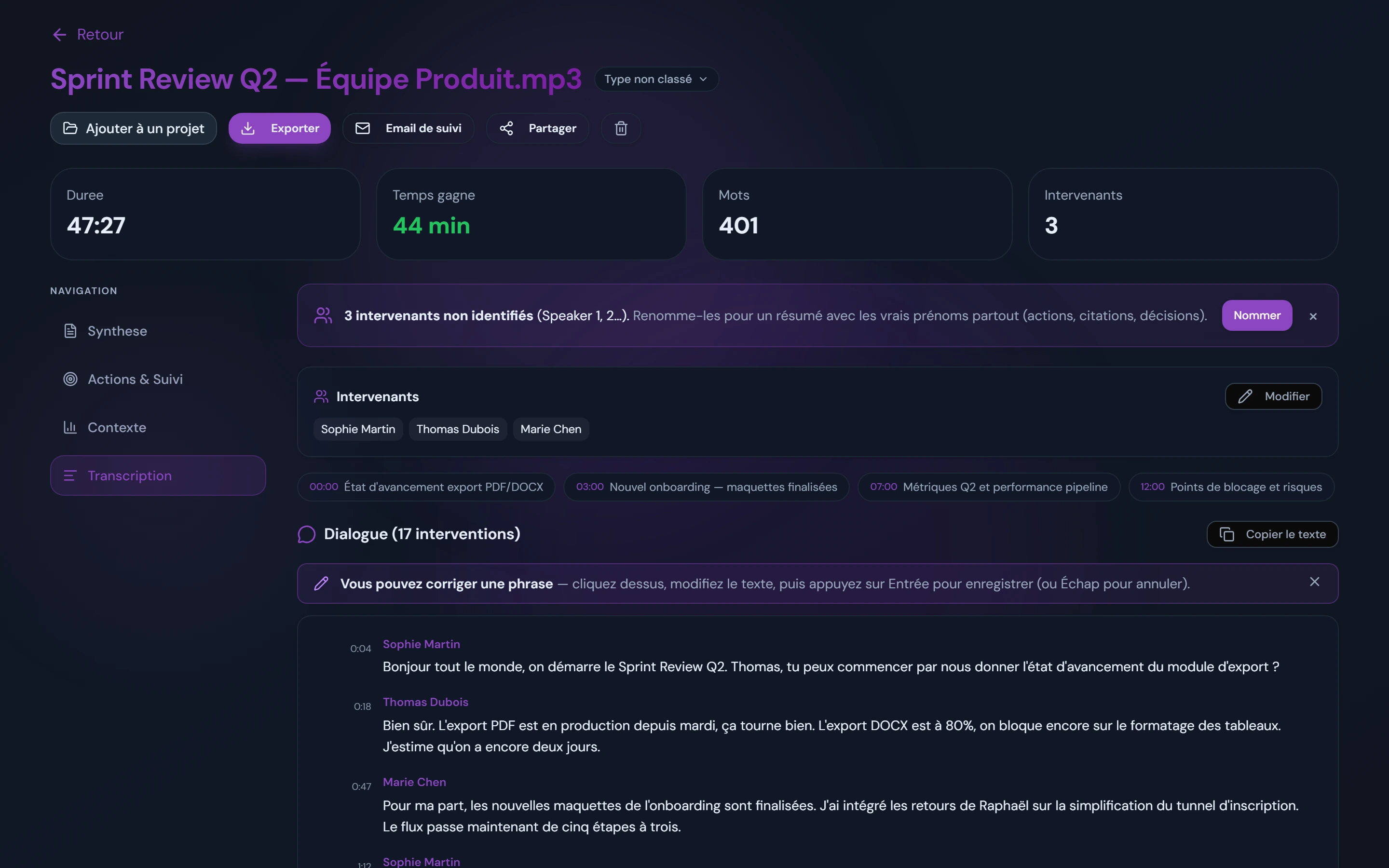
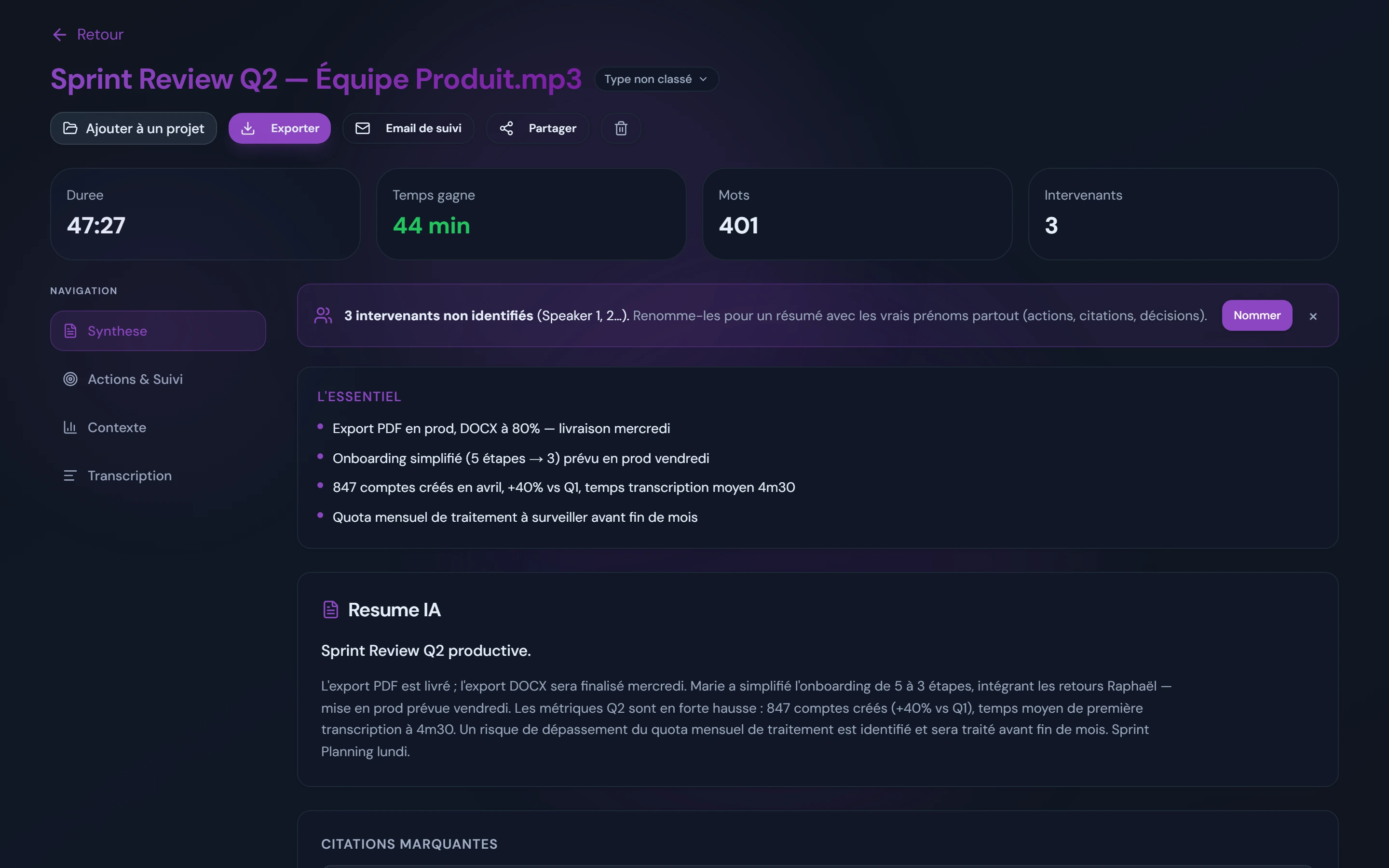
Upload the audio or video file to a tool such as AudiosTranscribe. Within minutes you get a full transcript with automatic speaker identification and time stamps, which is your first draft rather than your final document.
Choose verbatim or intelligent transcription
Decide whether your analysis needs full verbatim or intelligent verbatim, based on your method. Clean up fillers for thematic analysis, or preserve every pause and repetition if you are doing conversation or discourse analysis.
Verify and correct against the audio
Listen back while reading the transcript. Fix proper nouns, technical terms and any misheard words, and confirm each speaker label. This verification pass is what turns a good AI draft into a rigorous research transcript.
Anonymize and add identifiers
Replace participant names with pseudonyms or codes (P01, P02), remove other identifying details, and add a participant ID and interview date. Keep the key that links names to codes in a separate, secured file.
Export for your coding software
Export the finished transcript as a .txt or .docx file and import it into NVivo, ATLAS.ti or MAXQDA. With clean speaker labels in place, you are ready to start coding and building themes.
How do you prepare transcripts for coding software?
Prepare transcripts by exporting them as plain text or Word files with clear, consistent speaker labels, because NVivo, ATLAS.ti and MAXQDA code text, not audio. Consistent formatting lets these tools auto-code by speaker or by interview question, which saves hours across a large sample.
Format the file for clean import
Whatever tool you use, a few formatting habits make import painless:
- Use .txt or .docx: both import cleanly into NVivo, ATLAS.ti and MAXQDA; keep audio separate
- Label speakers consistently: for example Interviewer: and P01: on every turn, so the software can auto-code by speaker
- Use headings for questions: structured headings let tools like MAXQDA auto-code responses by question
- Decide on time stamps: keep them if you need to jump back to the audio, or export a clean copy without them if they clutter coding
- One file per interview: name files with the participant code and date for a tidy, traceable project
Match the export to your tool
All the major CAQDAS (computer-assisted qualitative data analysis software) packages import plain text and Word documents, and each rewards a slightly different structure. As a rule, keep speaker labels consistent, decide up front whether to carry time stamps into the import, and place one interview per file. The specifics below help you get the most out of each tool's auto-coding.
| Software | Imports | What it expects | Handy feature |
|---|---|---|---|
| NVivo | TXT, DOCX | Consistent speaker names; heading styles for questions | Auto-code by speaker and by heading style |
| ATLAS.ti | TXT, DOCX | Clean paragraphs; speaker prefix on every turn | Document groups for comparing participant sets |
| MAXQDA | TXT, DOCX | Structured questions as headings for auto-coding | Auto-code structured interviews by question |
| Dedoose | TXT, DOCX, XLSX | Speaker-tagged turns; descriptor fields for demographics | Mixed-methods linking of transcripts to descriptors |
None of these tools import audio for coding, so time stamps are optional metadata rather than a requirement: keep them if you want to jump back to the recording, strip them if they distract from the text. What every package genuinely needs is a speaker label on each turn and stable file naming, because that is what powers auto-coding by speaker and clean comparison across your sample.
Tip: keep both a verbatim master copy and your working coding copy. If you clean or anonymize the working file, you can always return to the master to check exactly what a participant said.
Ethics and GDPR for research interview data
Under the GDPR, interview recordings and transcripts are personal data, so you need informed consent, a lawful basis, and appropriate storage and processing safeguards. Where your transcription tool hosts data matters too: an EU-hosted processor reduces the complications of international data transfers for European research.
Ethics approval (from an IRB or research ethics committee) and data protection go hand in hand. A voice recording is identifiable, and interviews often touch on sensitive topics, so participant data deserves careful handling from consent through to deletion.
The core obligations
- Informed consent: tell participants their interview will be recorded and transcribed, and what will happen to the data
- Lawful basis and purpose: document why you are processing the data (typically consent for research) and stick to that purpose
- Data minimization and anonymization: pseudonymize transcripts and store the identifying key separately and securely
- Storage limitation: keep recordings and transcripts only as long as your protocol requires, then delete them
- Appropriate processors: if you use an online tool, check its hosting, security and data processing terms
Data residency, IRB and the transfer question
Where your data physically lives is the point that most often trips up an ethics application. Many popular transcription tools are hosted in the United States, which means that uploading an EU or UK participant's interview is an international transfer of personal data, and that transfer has to be justified with additional safeguards such as standard contractual clauses. For interviews covered by an IRB or research ethics committee, especially on sensitive topics or with vulnerable participants, that is a real administrative and reputational cost. Choosing a processor whose servers sit inside the EU sidesteps the transfer question entirely, which is why data residency, not just a privacy policy, belongs in your data management plan.
Why EU hosting helps researchers: for institutions bound by the GDPR, a transcription tool hosted in Europe keeps participant data within the EU and avoids the extra safeguards and paperwork that international transfers can require. Add to that a workflow where no third-party bot joins your interview or meeting to record it, and you have a shorter, cleaner story to tell your ethics committee or data protection officer.
Watch out: free consumer transcription tools may use uploaded audio to train their models or store it outside the EU. For interviews covered by an ethics approval, always confirm what a tool does with your data before you upload a single recording.
Where AudiosTranscribe fits for researchers
AudiosTranscribe is an AI transcription tool that suits qualitative research because it combines automatic speaker identification, fast transcripts you can verify, and European hosting that is GDPR compliant by design. You upload a recording, no bot joins anything, and you get a speaker-labelled transcript you can export for coding.
What researchers get from AudiosTranscribe:
- Speaker identification, so interviewer and participant turns are separated automatically
- Fast, verifiable transcripts you correct against the audio before coding
- Exports to TXT, Word, PDF and SRT for NVivo, ATLAS.ti and MAXQDA
- European hosting, GDPR compliant by design, suited to ethics-approved studies
- A free tier of 120 minutes per month to transcribe your first interviews
If you are weighing options, our AudiosTranscribe vs Notta comparison looks at how it stacks up against a popular alternative, and the pricing page shows what a full project costs once you go past the free minutes.
Methodological references and further reading
The practices in this guide draw on established qualitative methodology and data-protection frameworks rather than any single vendor's opinion. If you are writing up your methods section, these are the standard reference points to cite for transcription and data handling:
- Thematic analysis: the approach popularized by Braun and Clarke is the most widely cited framework for coding interview transcripts and deciding how much verbatim detail you actually need.
- Jefferson transcription system: the standard notation for conversation analysis, developed by Gail Jefferson, used when pauses, overlaps and intonation are part of your analysis.
- Verbatim and intelligent verbatim conventions: distinguishing full verbatim from clean or intelligent verbatim is a long-standing convention in social-science transcription and should be stated explicitly in your methods.
- GDPR (Regulation (EU) 2016/679): the legal basis for treating interview recordings and transcripts as personal data, covering consent, data minimization, storage limitation and international transfers.
Always check your own institution's ethics committee or IRB guidance, which may impose stricter requirements than the general standards above.